
Book the appointment
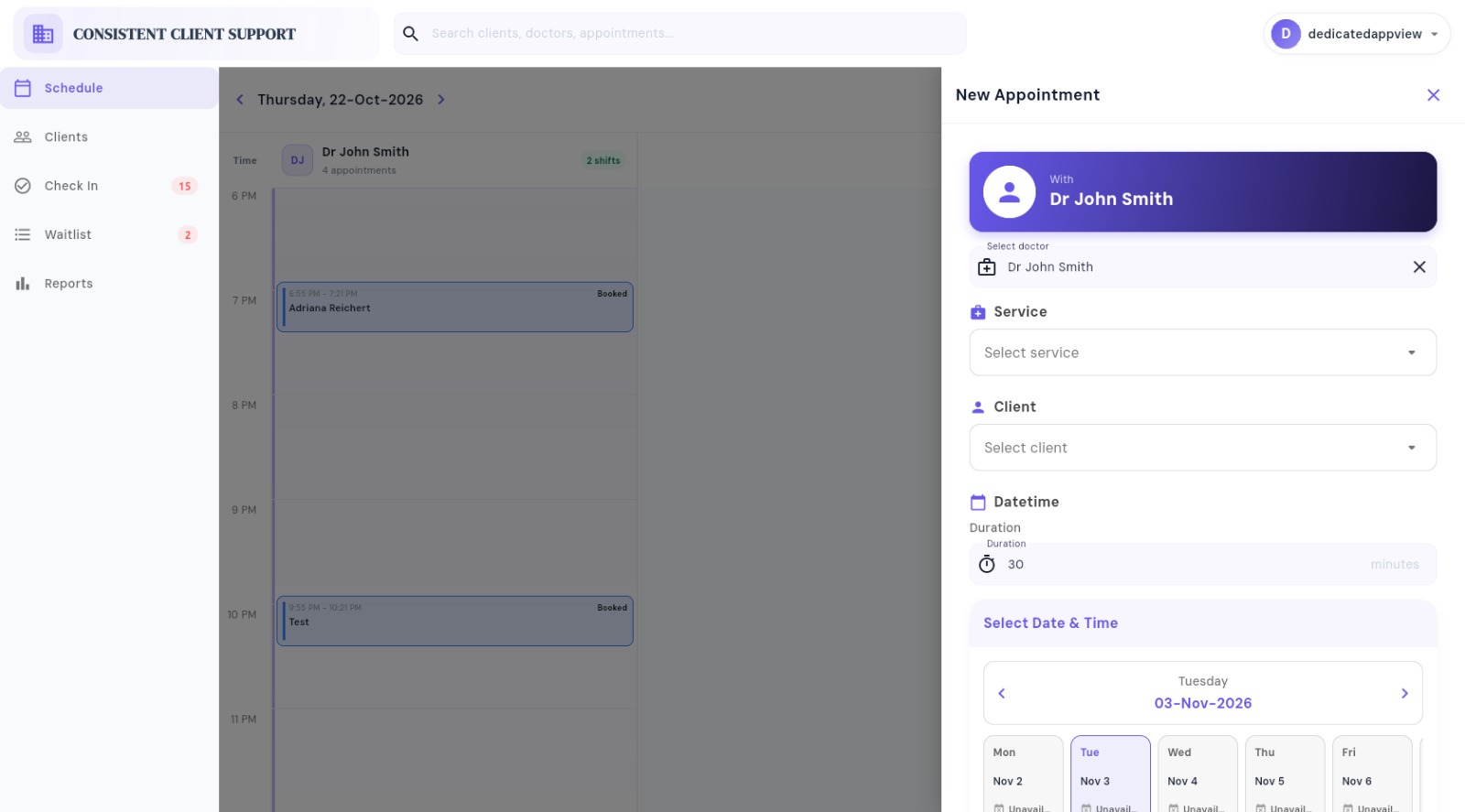
Select the patient, service, doctor, start and end time. Priority and walk-in status can also be recorded.

Give front-desk teams one live view of appointments, patient check-ins, doctor queues, and visit progress so every patient moves through the clinic with less waiting and confusion.
One view for the whole front desk
Coordinate scheduled patients, walk-ins, and doctor queues from the clinic’s daily workflow.
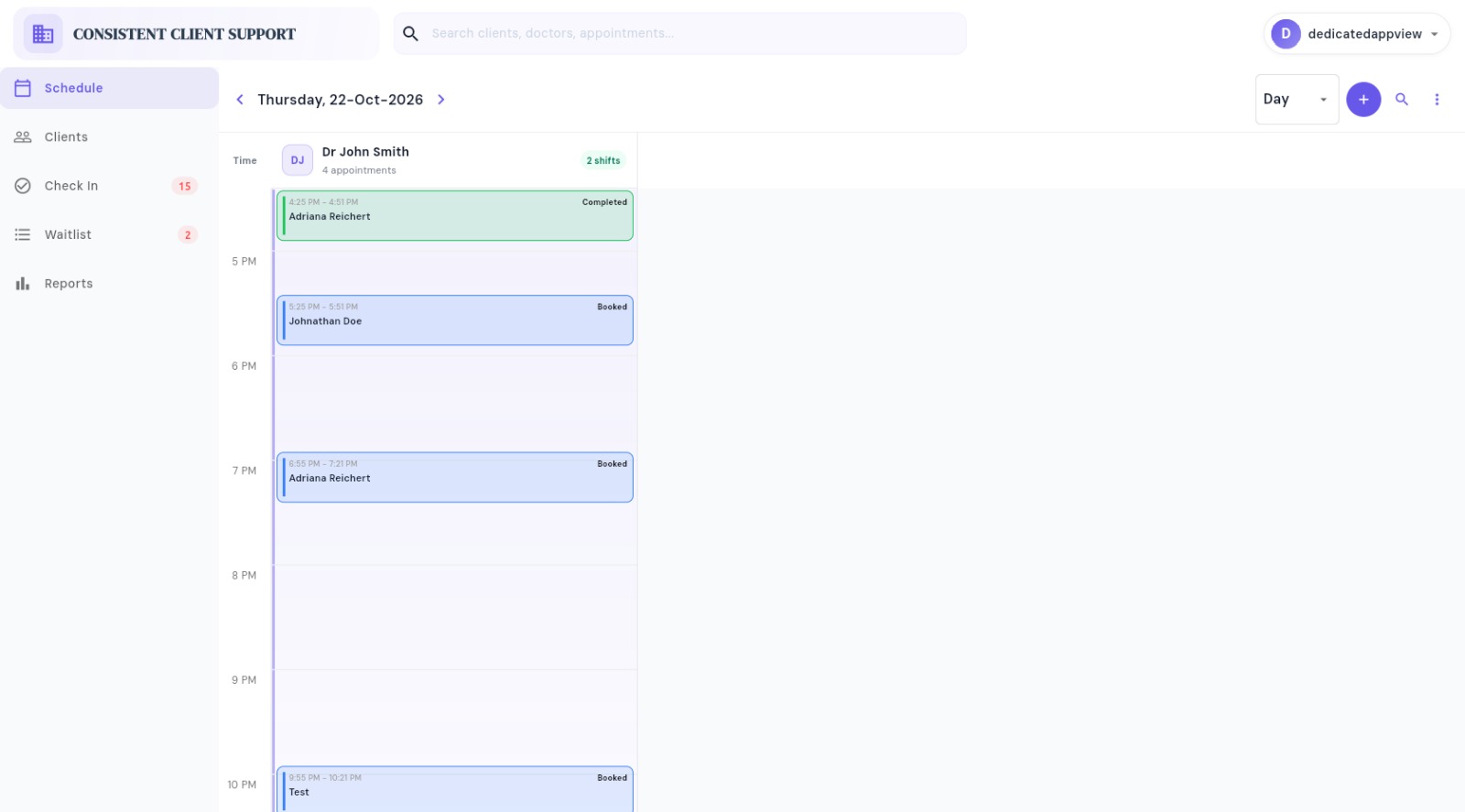
Book and update appointments while checking clinician availability and preventing overlapping time slots.
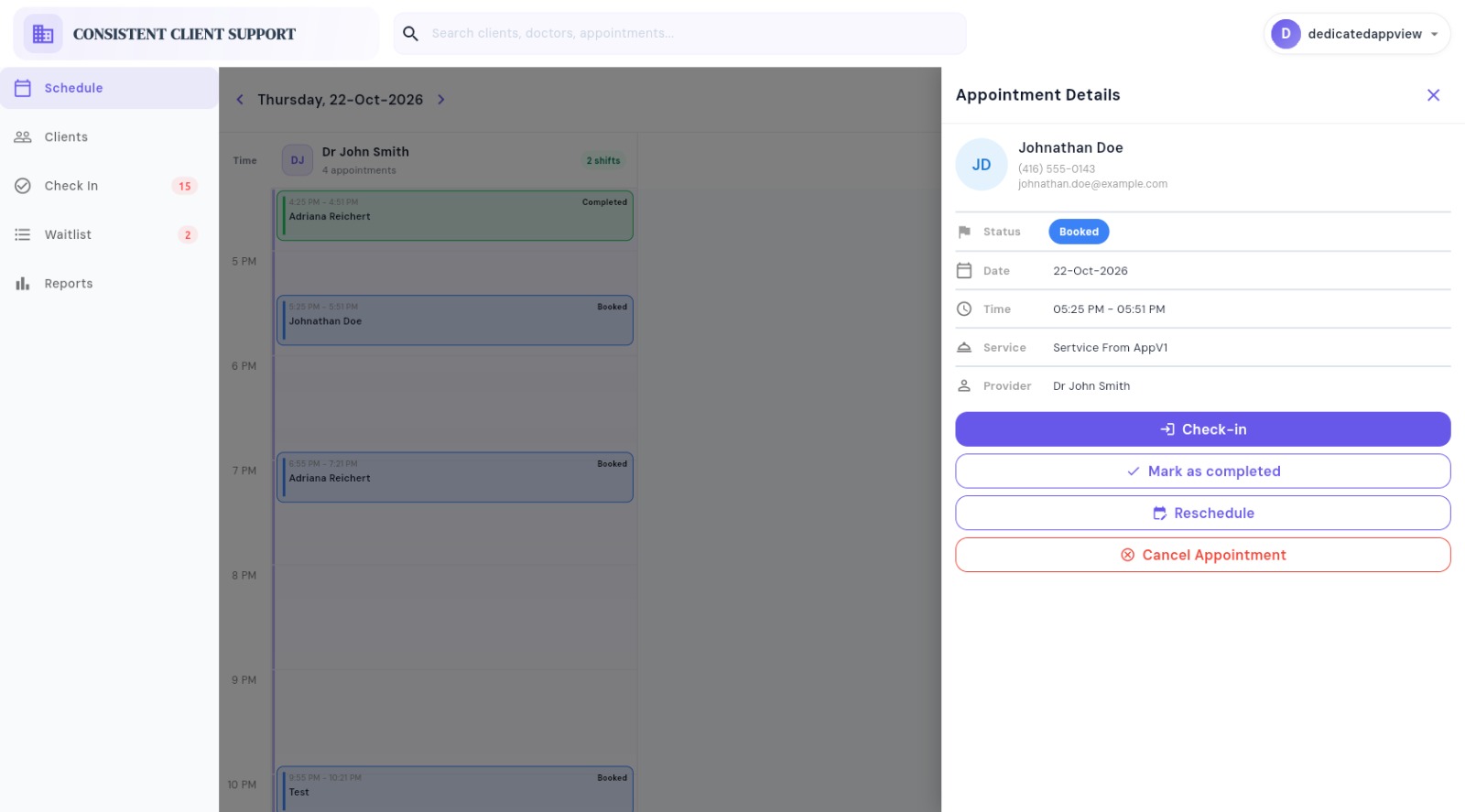
Check scheduled patients in, identify late arrivals, and place each patient in the correct doctor’s queue.
See the current, next, waiting, and upcoming patients for every doctor throughout the day.

Real-time patient flow
Reception staff can see where each patient is in the visit and take the next appropriate action.
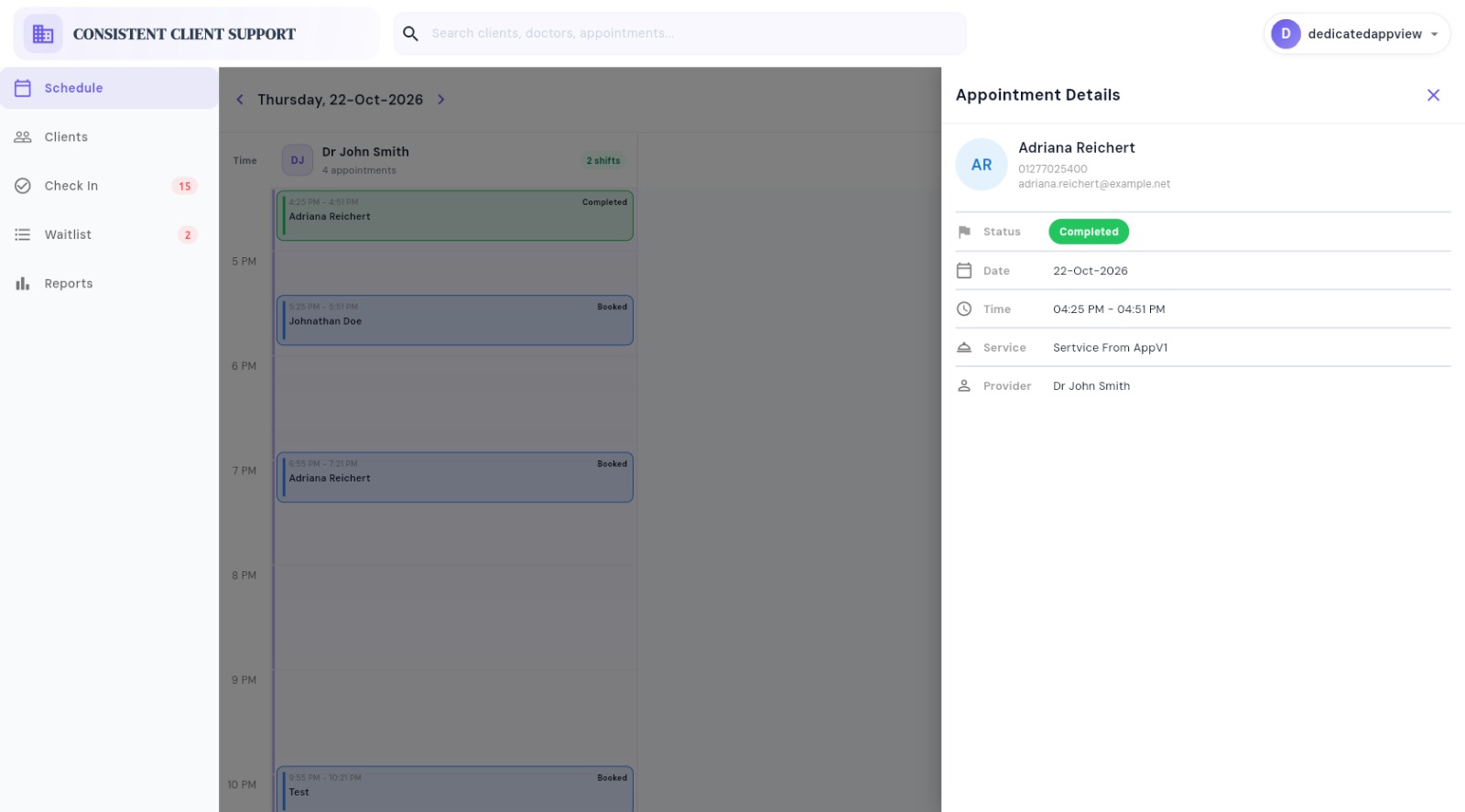
Inside the receptionist workspace
Open any screen for a full-size view of the receptionist experience.
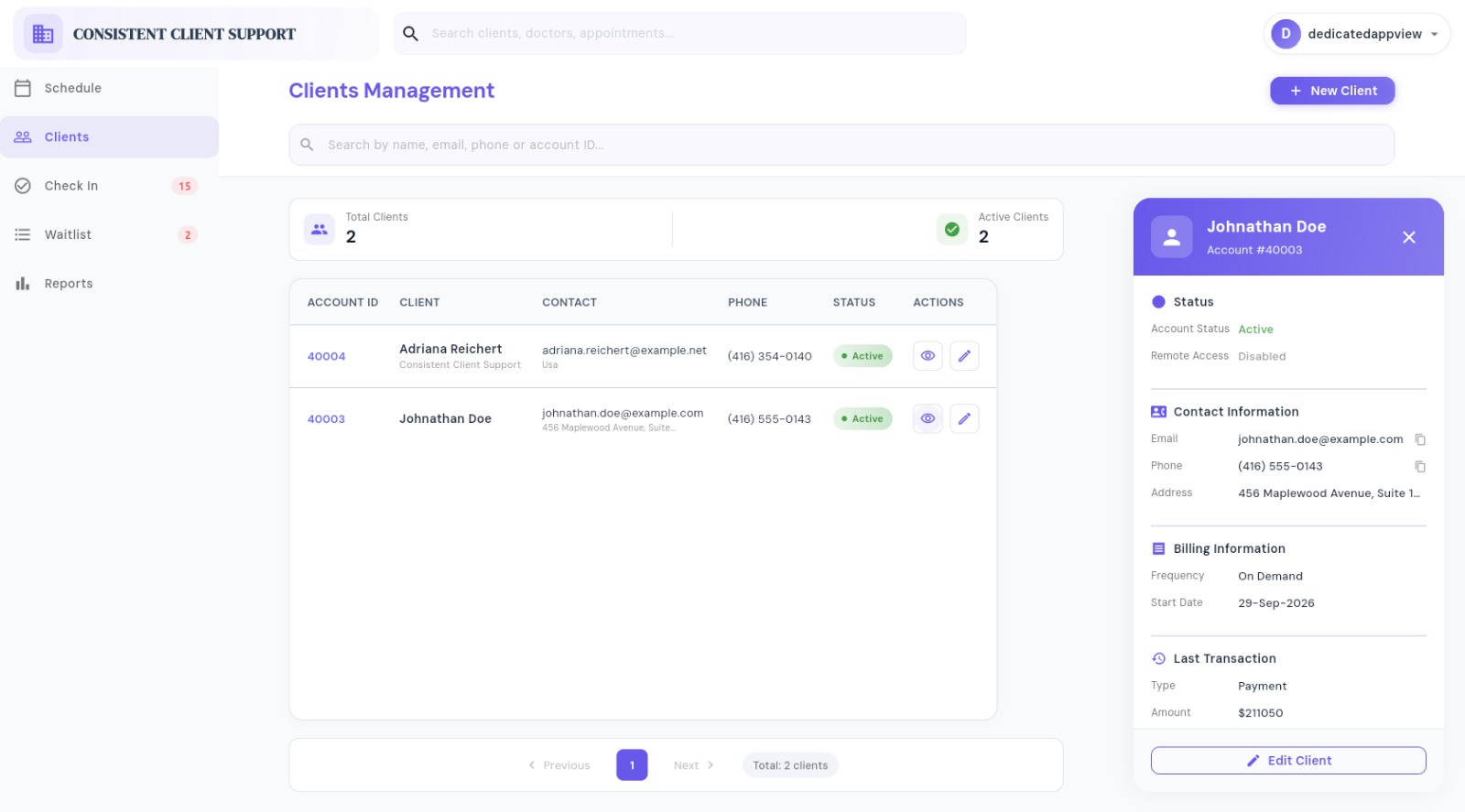
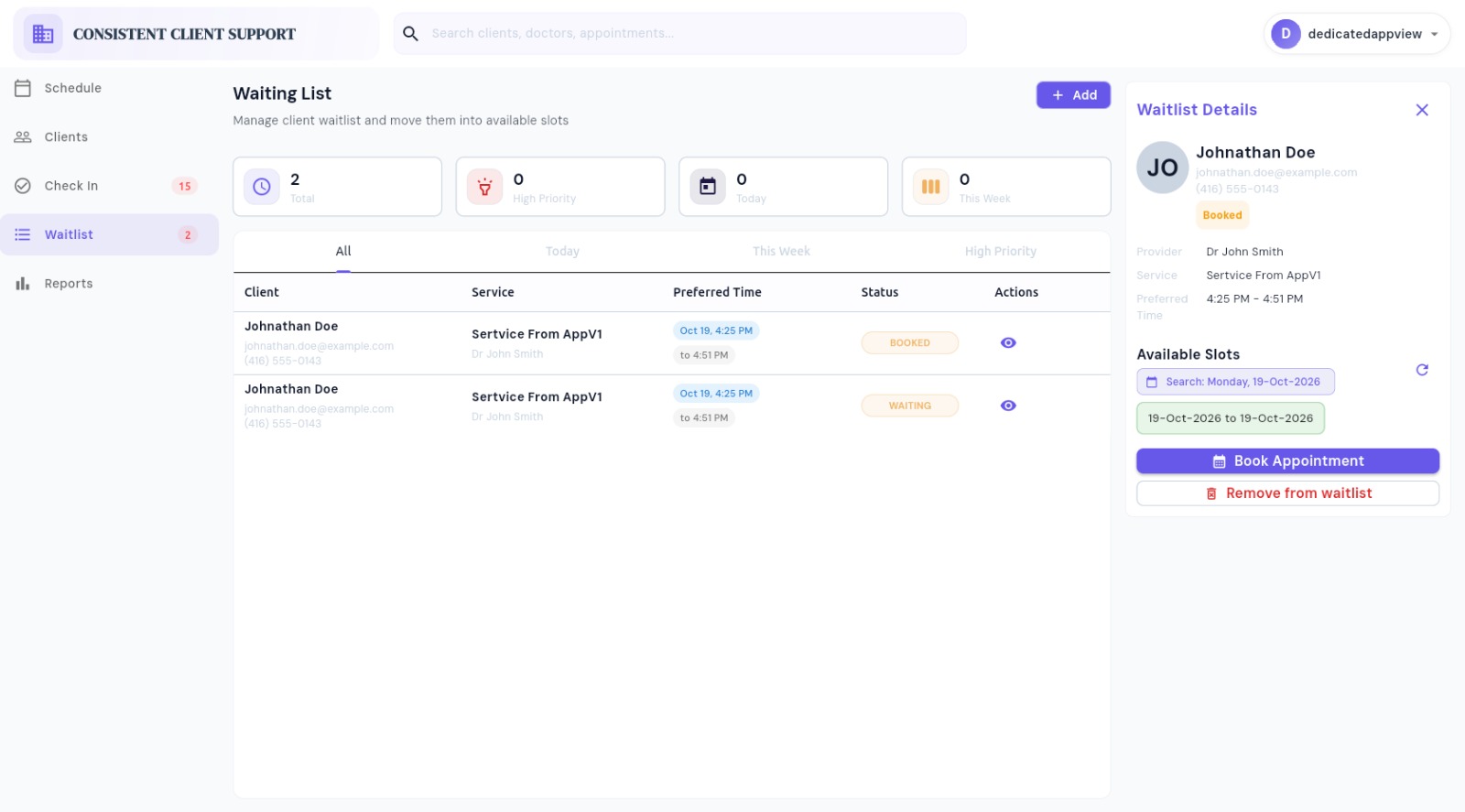
Client flow
Reception staff can move from client context to waitlist booking without losing the operational view.
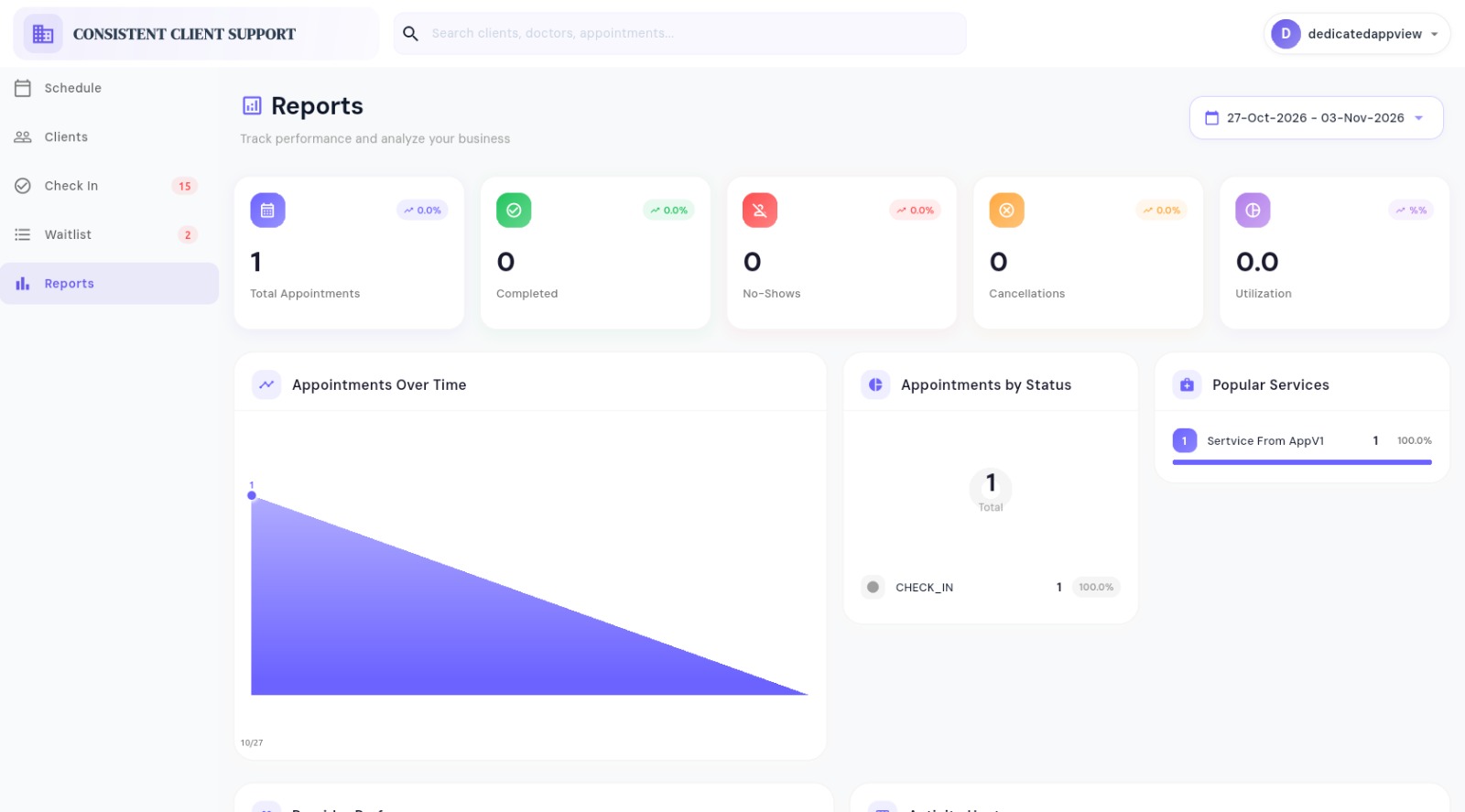
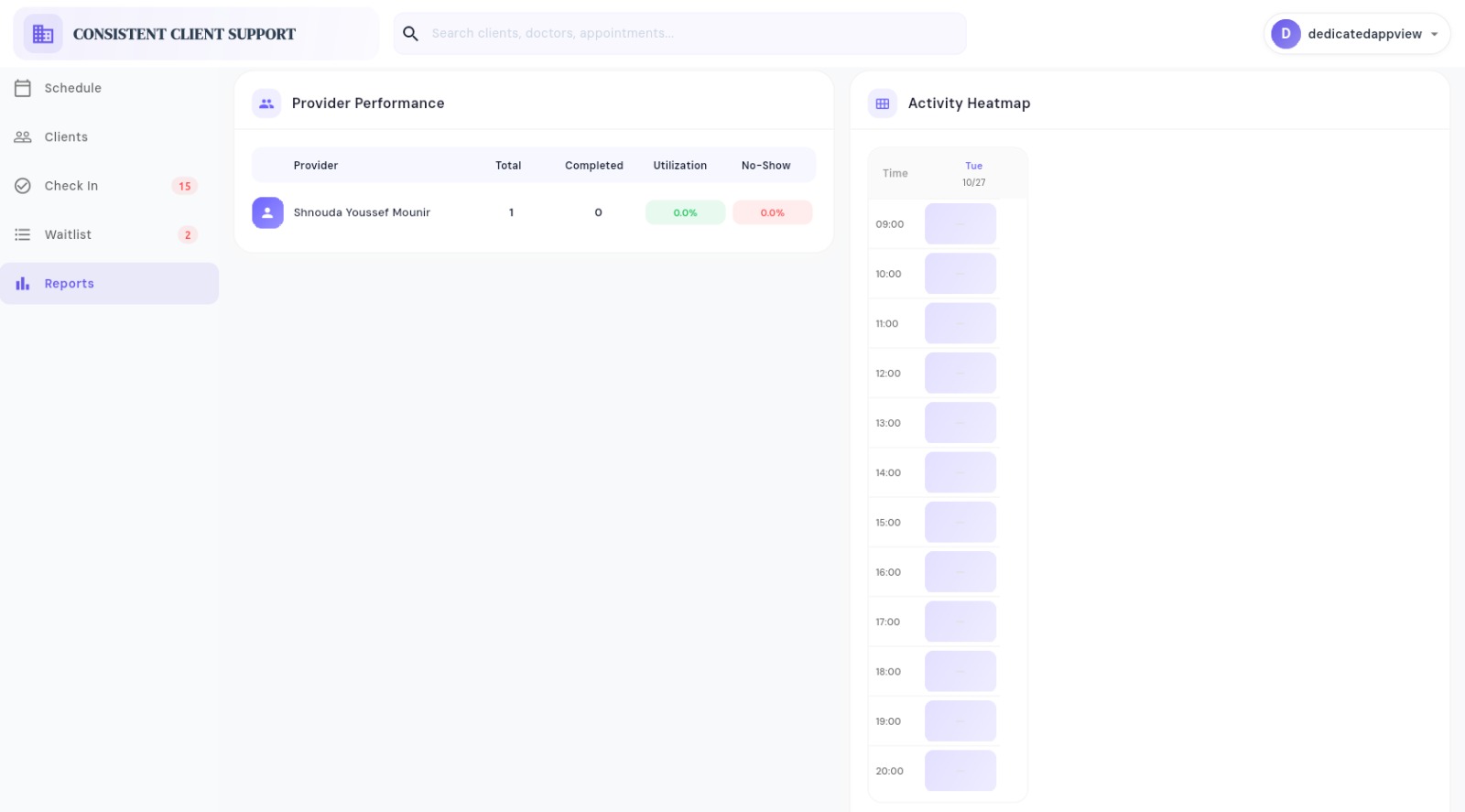
Clinic reporting
Track appointment outcomes, service demand, provider performance, and activity by hour.
From booking to completed visit
Each transition updates the appointment and returns the refreshed doctor queue to the front desk.
Select the patient, service, doctor, start and end time. Priority and walk-in status can also be recorded.
CCS checks that the appointment fits the doctor’s assigned shift and does not overlap another booking.
An active appointment enters the queue as checked-in or late, based on its time and configured grace period.
Waiting patients are ordered consistently using late priority, effective appointment time, and check-in time.
The next eligible patient moves to “With Doctor.” CCS prevents another patient from being called while one is current.
Complete the current visit or skip a queue entry when needed. Each queue action is saved to the appointment log.
Rules behind the queue
Defaults can be configured for the clinic without changing the daily receptionist workflow.
The standard opening point is 15 minutes before the appointment. Earlier check-in can proceed when that doctor has no unresolved earlier appointment. Closed appointments cannot check in.
The default grace period is 10 minutes. Late patients remain visible but are placed after on-time patients in the ordered waiting queue.
Only one patient can be marked “With Doctor” for a doctor at a time, and only that current patient can be completed.
A dedicated reception station can be assigned to selected doctors, limiting its dashboard to the queues that team supports.
Available times are calculated from clinician shifts and existing bookings. Waitlists retain the patient, service, doctor, preferred time window, priority, and notes.
Operational visibility
Keep appointments and live queue activity connected, with reception views configured for the doctors each station supports.
Clinic Receptionist Software is configured for each organization. View pricing or contact us to plan your setup.
 Clinic Receptionist Software Appointments, patient check-in, and doctor queues |
Custom |
|---|---|
| Clinic receptionist and patient flow | |
| Appointment booking and rescheduling | |
| Patient check-in and late status | |
| Multi-doctor queue dashboard | |
| Current, next and waiting patients | |
| Call-next, skip and complete actions | |
| Appointment and queue history |